How to Plan Lighting for a Home Office: Reduce Eye Strain

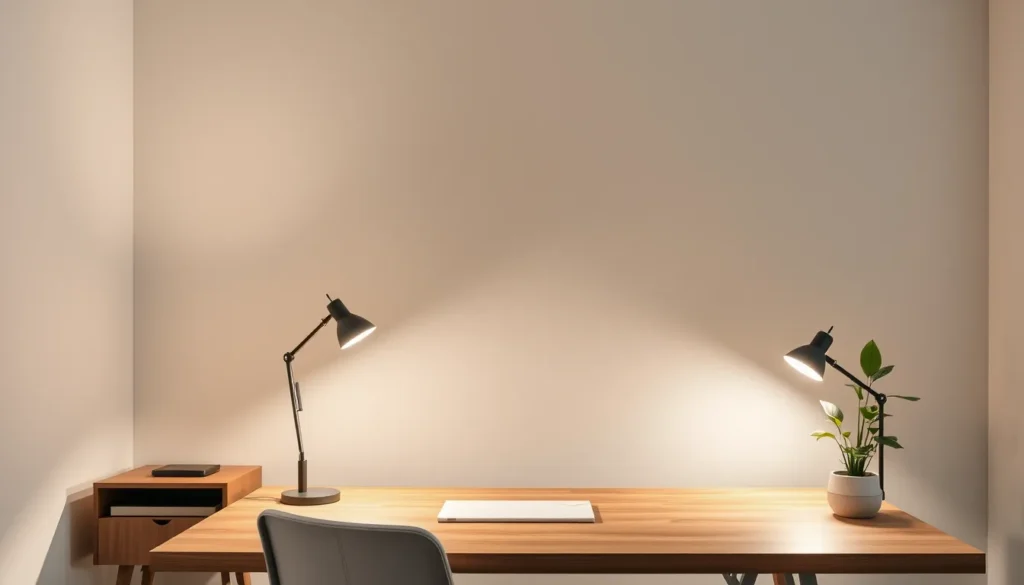
If you work from home, your eyes likely feel tired by mid-afternoon. This guide helps you build a lighting plan that reduces strain and boosts focus. It is designed for anyone setting up a desk in a bedroom, living room, or dedicated office space.
You will learn how to balance three essential lighting layers: ambient, task, and accent. We will break down practical placement strategies for common desk layouts. The goal is clear, comfortable light that supports your circadian rhythm without wasting energy.
No expensive equipment is required. Just basic fixtures and smart positioning. Follow these steps to create a workspace that feels right from morning to night.
Understanding the Three Layers of Office Lighting
Effective home office lighting relies on three distinct layers working together. Relying on a single overhead fixture often creates harsh shadows or excessive brightness, leading to eye strain. Each layer serves a specific function to maintain visual comfort and support your circadian rhythm.
Ambient lighting provides the base level of illumination for the entire room. It ensures the space is generally visible without forcing your eyes to adjust constantly to dark corners. Think of this as the background light that prevents the workspace from feeling isolated or cavernous.
Task lighting is directed specifically at your work surface. This layer illuminates documents, keyboards, and screens where you focus for extended periods. It requires higher intensity than ambient light to reduce glare and improve readability, allowing you to work efficiently without squinting.
Accent lighting serves a dual purpose. It highlights specific features, such as bookshelves or artwork, adding depth to the room. More importantly, it reduces the contrast between the bright desk area and the darker surrounding walls. This balance prevents visual fatigue caused by abrupt shifts in brightness, making the environment more sustainable for long work sessions. By integrating these three layers, you create a balanced system that prioritizes both comfort and energy efficiency.
Choosing the Right Color Temperature and Brightness
When How to Plan Lighting for a Home Office, the first decision is the color temperature of your bulbs. Warm light (around 2700–3000 K) casts a yellowish hue that mimics the glow of a sunset, while cool light (4000–6500 K) appears bluish and resembles daylight. During the day, choose cool‑white bulbs for both ambient and task lighting; the higher blue content promotes alertness and helps maintain a steady circadian rhythm while you read, type, or video‑chat.
In the evening, switch to warmer tones for any ambient fixtures that remain on. A softer, amber glow reduces stimulation of the retina, signaling to the brain that it’s time to wind down. If your desk lamp has a dimmer, lower the intensity after sunset to keep the space comfortable without sacrificing visibility.
Brightness should be proportional to the task and the time of day. For detailed work such as reading printed documents, aim for a higher lumen output at eye level—typically 300–500 lux on the work surface. For general computer work, a moderate level (200–300 lux) is sufficient and helps prevent glare from the screen. Adjusting both color temperature and brightness creates a lighting environment that supports focus while respecting the body’s natural rhythm.
Positioning Lights to Eliminate Glare and Shadows
Place the primary task light so its beam reaches the work surface from the side that matches your dominant hand. A 30‑45° angle keeps the hand and any papers out of the light’s direct path, eliminating shadows that can force the eyes to refocus repeatedly.
Position the lamp opposite the monitor, never directly behind it. When the source is behind the screen, light reflects off the glass and creates glare that washes out contrast. A side‑mounted fixture also allows the ambient lighting to fill the room without competing with the monitor’s own illumination.
Avoid placing a light directly in front of the monitor or above the screen. Front lighting adds a bright spot on the display that the eyes must constantly adjust to, while overhead lighting can cast a harsh shadow on the keyboard and documents.
- Mount the task lamp on a swivel arm so you can fine‑tune the angle without moving the fixture.
- Keep the light source at or slightly above eye level to reduce upward glare.
- Use a diffuser or a lamp shade with a matte finish to soften the beam and prevent hot spots.
- Combine the side task light with a low‑intensity ambient source to maintain a balanced overall illumination that supports the circadian rhythm.
Maximizing Natural Light and Managing Sunlight
Daylight is a natural source of ambient lighting that boosts mood and helps keep the circadian rhythm in sync, which can improve focus during long work sessions. When you know how to plan lighting for a home office, you can let the sun work for you instead of against you.
Start by positioning the desk so the window is to the side, not directly behind the monitor. A side‑light setup reduces screen glare and prevents the user from becoming a silhouette, which can strain the eyes. If a window must be behind the screen, use a low‑profile monitor hood or tilt the monitor slightly forward to keep reflections out of the view.
- Sheer curtains: Diffuse harsh midday sun while preserving a bright, even glow.
- Venetian or roller blinds: Offer precise control; lower them during peak sunlight to cut glare without darkening the room.
- Adjustable shades: Tilt to redirect light upward, creating a soft ceiling wash that adds ambient illumination.
During winter months, keep the blinds open to capture as much natural light as possible; in summer, combine sheer panels with external awnings or reflective window films to limit heat gain while still enjoying daylight. By balancing these approaches, you maintain visual comfort and energy efficiency without sacrificing the energizing benefits of natural light.
Selecting Fixtures for Different Desk Setups
Fixture selection depends heavily on your desk’s location. The right hardware ensures task lighting reaches your work surface without casting harsh shadows or competing with ambient sources.
Desk Against a Wall
This setup limits space behind the chair, making wall-mounted fixtures ideal. An articulated arm lamp attached to the wall keeps the desktop clear while allowing precise positioning over documents or screens. If wall mounting is not possible, a slim profile table lamp with a flexible gooseneck works well. Place it at the side opposite your dominant hand to minimize shadows cast by your arm.
Desk in the Middle of the Room
Central desks benefit from overhead solutions. A pendant light suspended directly above the center of the desk provides even, shadow-free illumination. Pair this with a floor lamp positioned behind the desk to serve as a secondary ambient source. This combination prevents the “cave effect” where the only light source is directly in front of you, reducing eye strain during long sessions.
Small Corner Setup
In tight quarters, vertical space is your ally. Use under-cabinet lighting if you have shelving above the desk to provide direct task light without occupying surface area. Supplement this with a clip-on lamp for the monitor or a compact, adjustable floor lamp. Keep fixtures on dimmers to adjust brightness levels easily, ensuring the local intensity matches the surrounding ambient light to maintain visual comfort and support your circadian rhythm throughout the day.
Common Lighting Mistakes to Avoid
Relying on a single overhead fixture is a frequent error that creates harsh shadows. This forces your eyes to constantly adjust between bright spots and dark areas, leading to rapid fatigue. Similarly, positioning task lights too low can cause reflections on your monitor screen. This glare distracts you and strains your visual focus, often resulting in headaches by the afternoon.
Ignoring the contrast ratio between your lit workspace and the surrounding room is another critical oversight. If your desk is brightly illuminated while the rest of the room remains dim, your pupils struggle to adapt. This mismatch disrupts your circadian rhythm and increases eye strain. To prevent these issues, ensure your ambient lighting provides a baseline level of brightness. This reduces the intensity difference between the task area and the background.
Additionally, using the wrong color temperature at the wrong time can hinder relaxation. High-intensity, cool white light in the evening may suppress melatonin production, making it harder to wind down. Balance your lighting layers to maintain visual comfort. Adjust the brightness and color temperature as the day progresses. This simple adjustment supports your natural biological clock and keeps your eyes rested. By addressing these common pitfalls, you create a more sustainable and comfortable home office environment.
